
Electrode measure
Electrode Measurement Data
Electrode Inspection Points
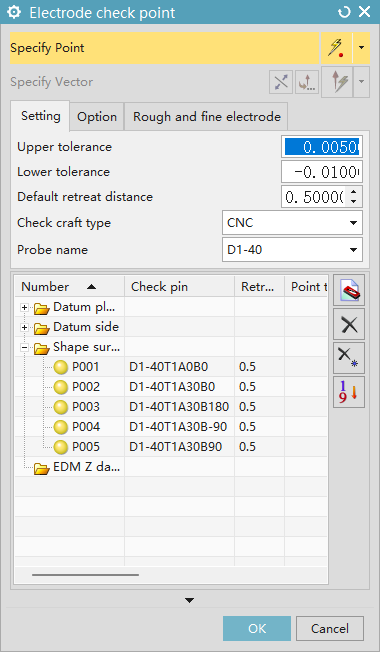
- Upper Tolerance: Inspect the upper tolerance value; defaults to reading the electrode tolerance and supports temporary modification
- Lower Tolerance: Inspect the lower tolerance value; defaults to reading the electrode tolerance and supports temporary modification
- Default Retract Point Distance: Retract distance of the electrode feature; supports system settings to configure default values and allows temporary modification
- Inspection Process Type: CNC, WEDM
- Probe Name: Define the probe used for the electrode; supports system configuration of default probes and allows temporary modification
- Datum Plane: The datum plane must have four datum points
- Datum Edge: A single datum edge must have two datum points
- Feature Surface: Inspection points required for measuring the electrode feature
- Clear Feature Points: Delete all inspection points on the feature surface
- Delete Selected Points from List: Delete the selected points in the left-side list
- Delete Selected Points: Select and delete points in the graphics area
- Sort Feature Points: Reorder the points in the list according to their sequence
Options
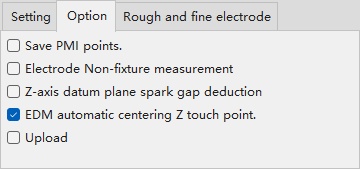
- Save PMI Points: Save Product and Manufacturing Information (PMI) points in the 3D model
- Electrode Inspection Without Fixture: Use fixture-free inspection
- Spark Gap Adjustment for Z-Axis Datum Plane: Adjust the spark gap for the Z-axis datum plane of a single electrode
- EDM Auto-Centering Z-Axis Touch Point: Address scenarios where EDM auto-centering Z-axis touch points cannot be obtained
- Upload: Upload data to the automated system; supports system parameter definition for default checking, and must be checked when using the system
Roughing-Finishing Integrated Electrode
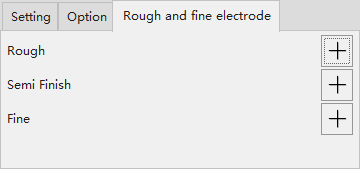
- Roughing: Select inspection points for roughing
- Semi-Finishing: Select inspection points for semi-finishing
- Finishing: Select inspection points for finishing
Batch Inspection Data
Applicable to: Batch loading of electrodes to export inspection data 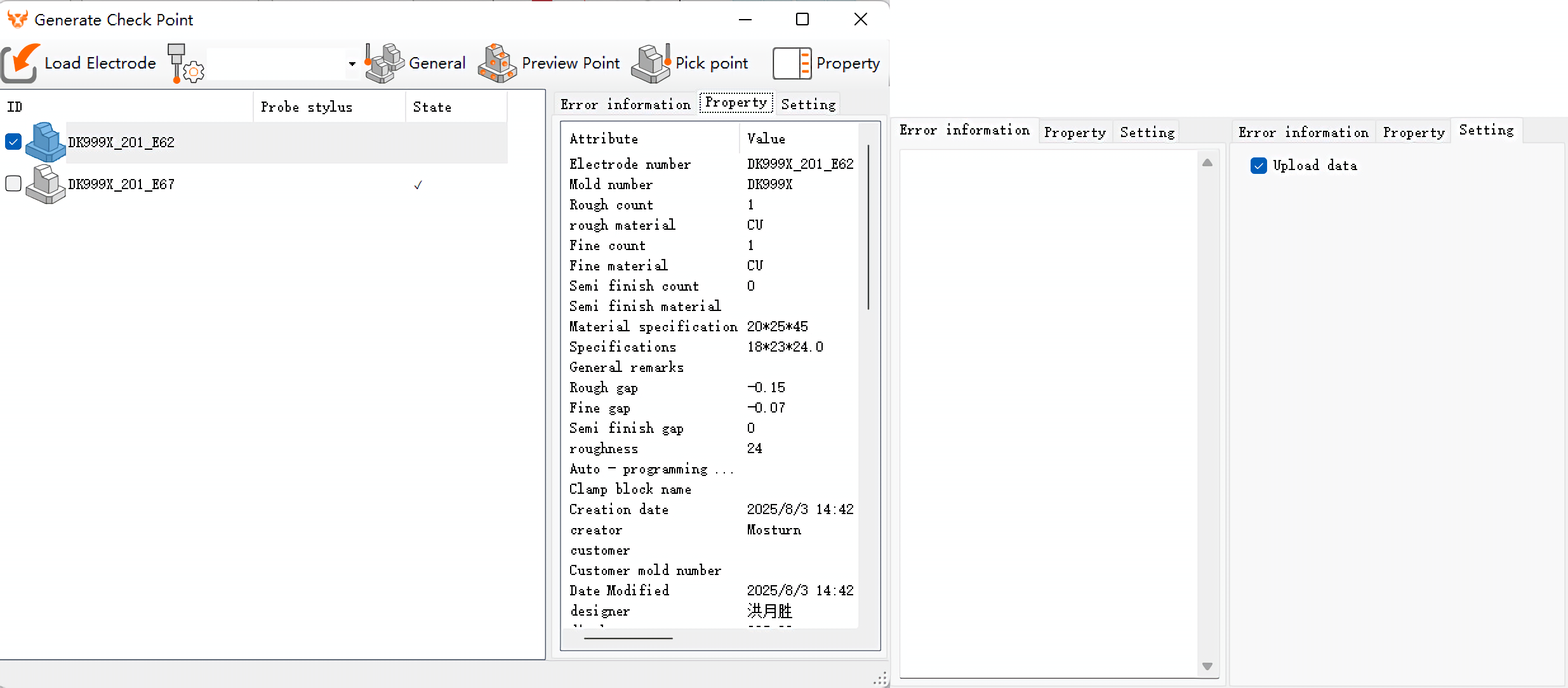
- Load Electrodes: Manually load other electrode drawings
- Probe Assignment: Specify the probe name to be used for the electrode; defaults to automatically reading the system-configured probe name
- Batch Generate Points: Generate inspection points for batch electrodes
- Preview Points: View the generated inspection points
- Acquire Points: Generate inspection points for a single electrode
- Attributes: Display relevant information of the electrode
- Error Messages: Display error messages
- Upload Electrode Data: Upload electrode data to the automated system; supports system parameter definition for default checking, and must be checked when using the system
Batch Measurement Reports
Load electrode data manually or search for electrodes to add to the report list. You can also enter a barcode on the scan page to load the matching electrode.
- Generate a measurement report for the selected electrode, print it, or export it as a PDF.
- View electrode attributes, remove an entry from the list, and configure data uploading, automatic printing, or automatic report generation.